Image Translator – Translate Text in Images
Image Translator - Translate Text in Images
Seamlessly translate text in images into over 25 languages with advanced technology. Preserve the original design and layout while getting accurate translations.
Watermark-free results, ready to use right after download
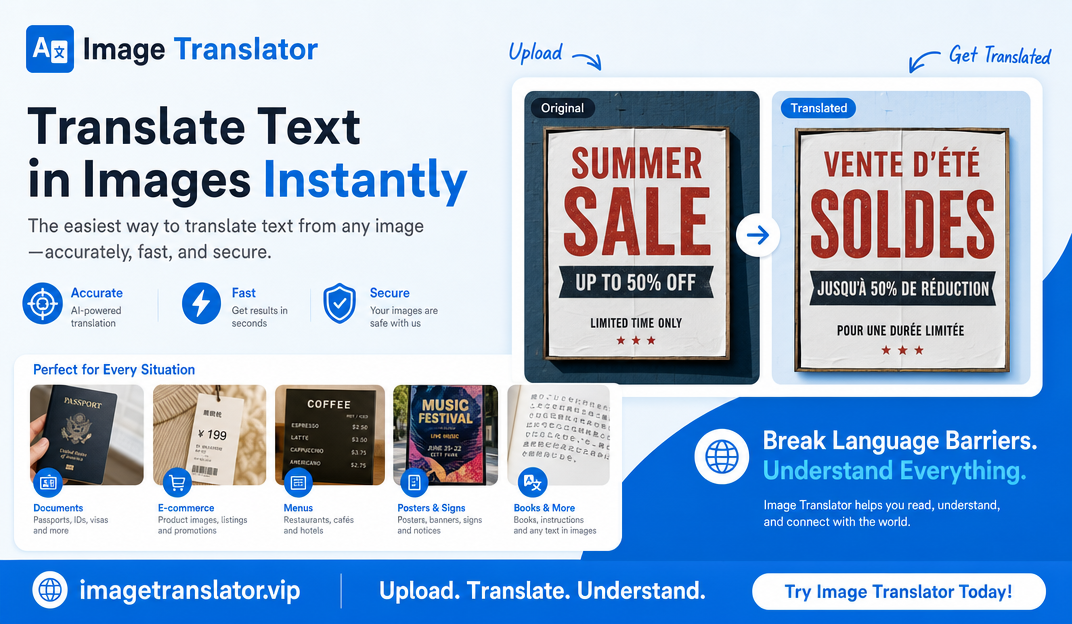
Image Translator - Translate Text in Your Image
Upload your image, select the target language, and let our tool translate the text while preserving the original design and layout.
Please log in to start translating text in your image. Don't have an account? Register here.
Image Translator Examples
See how our tool can accurately translate text on various types of images while preserving design.
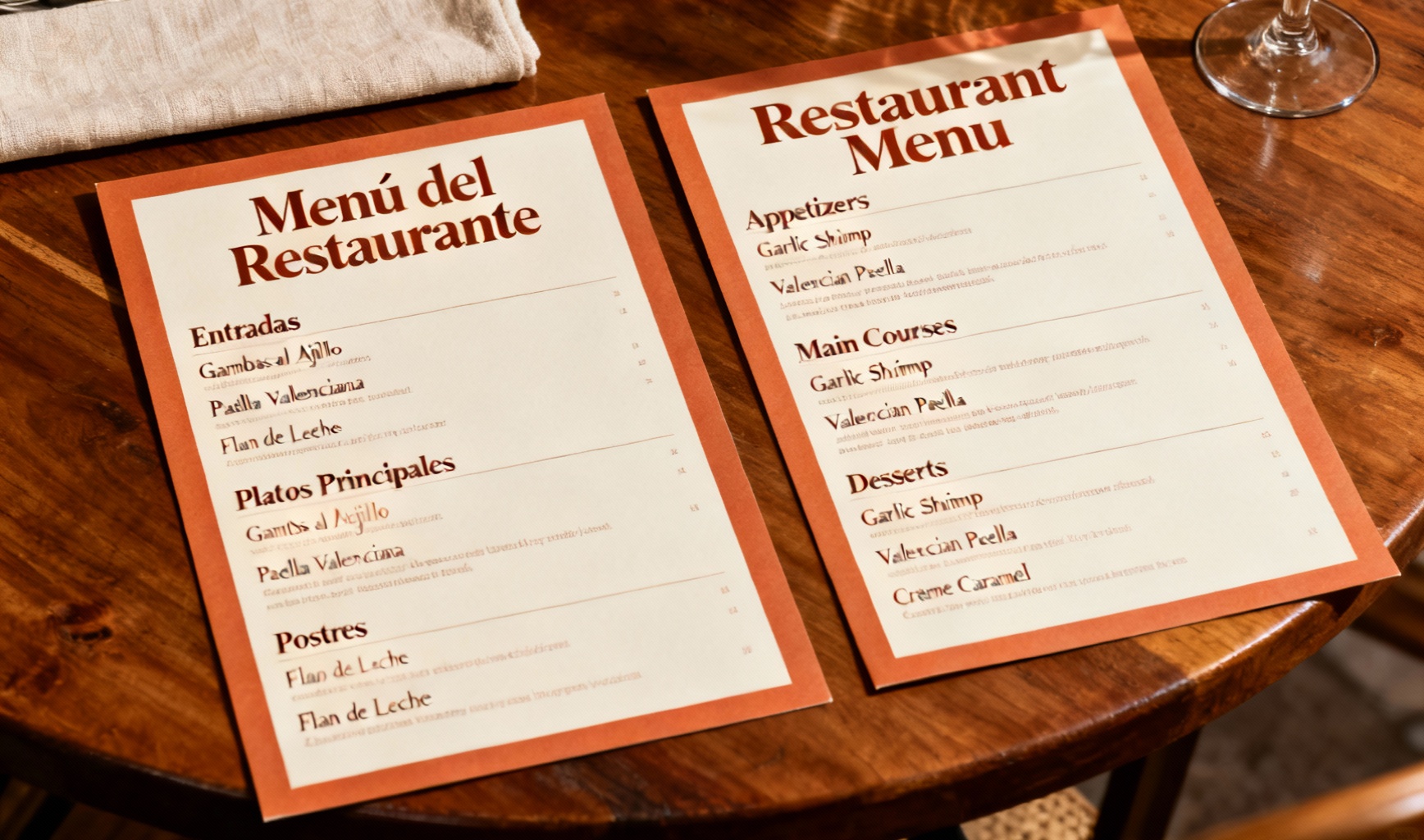
Menu Translation
Translate a restaurant menu from Spanish to English while preserving layout and design elements.
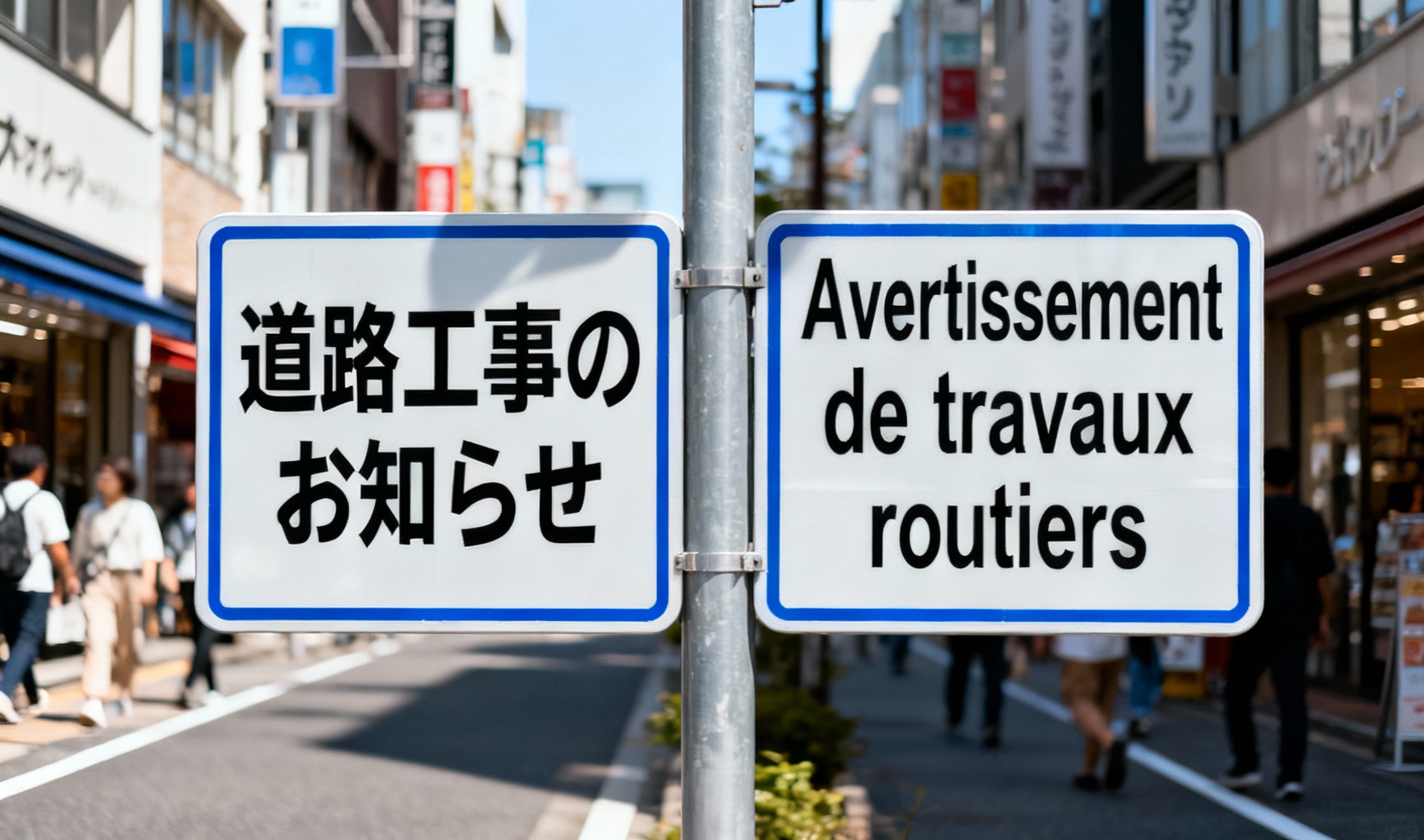
Signage Translation
Translate street signs and public notices from Japanese to French while maintaining readability and visual appearance.
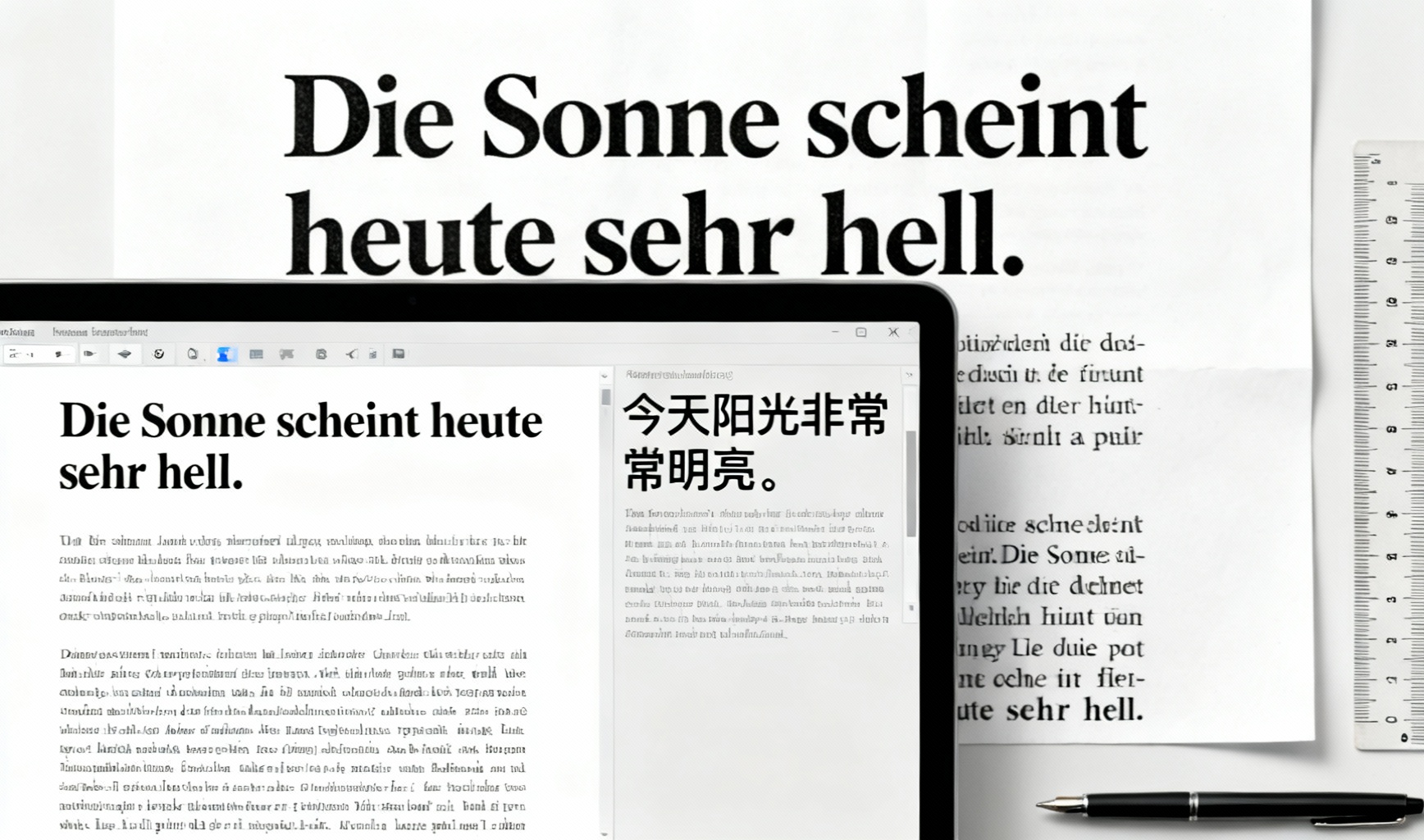
Document Translation
Translate text on scanned documents from German to Simplified Chinese while keeping the original formatting.
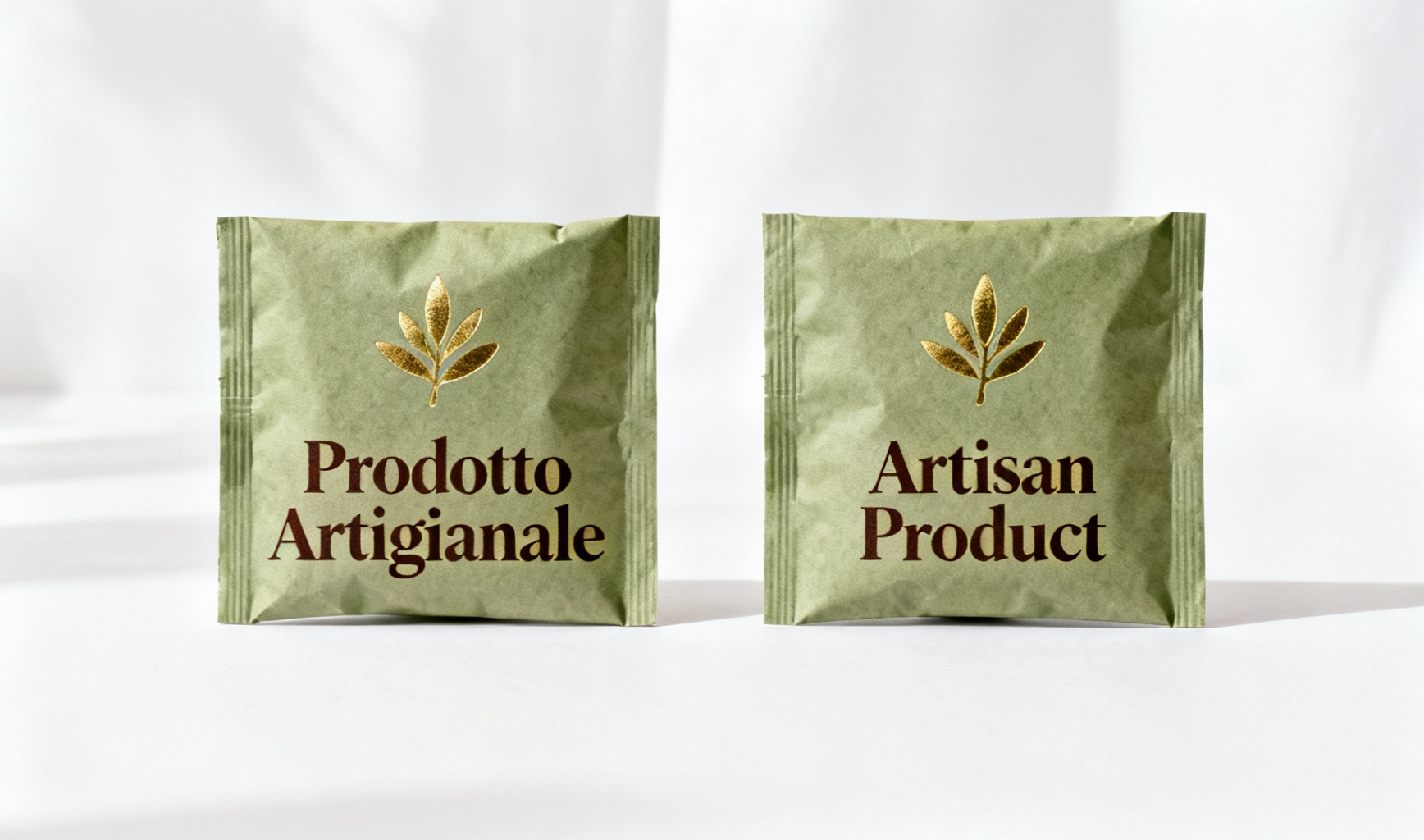
Product Label Translation
Translate product labels and packaging from Italian to English while preserving brand identity and design elements.

Poster Translation
Translate promotional posters from Russian to Spanish while maintaining visual hierarchy and artistic style.
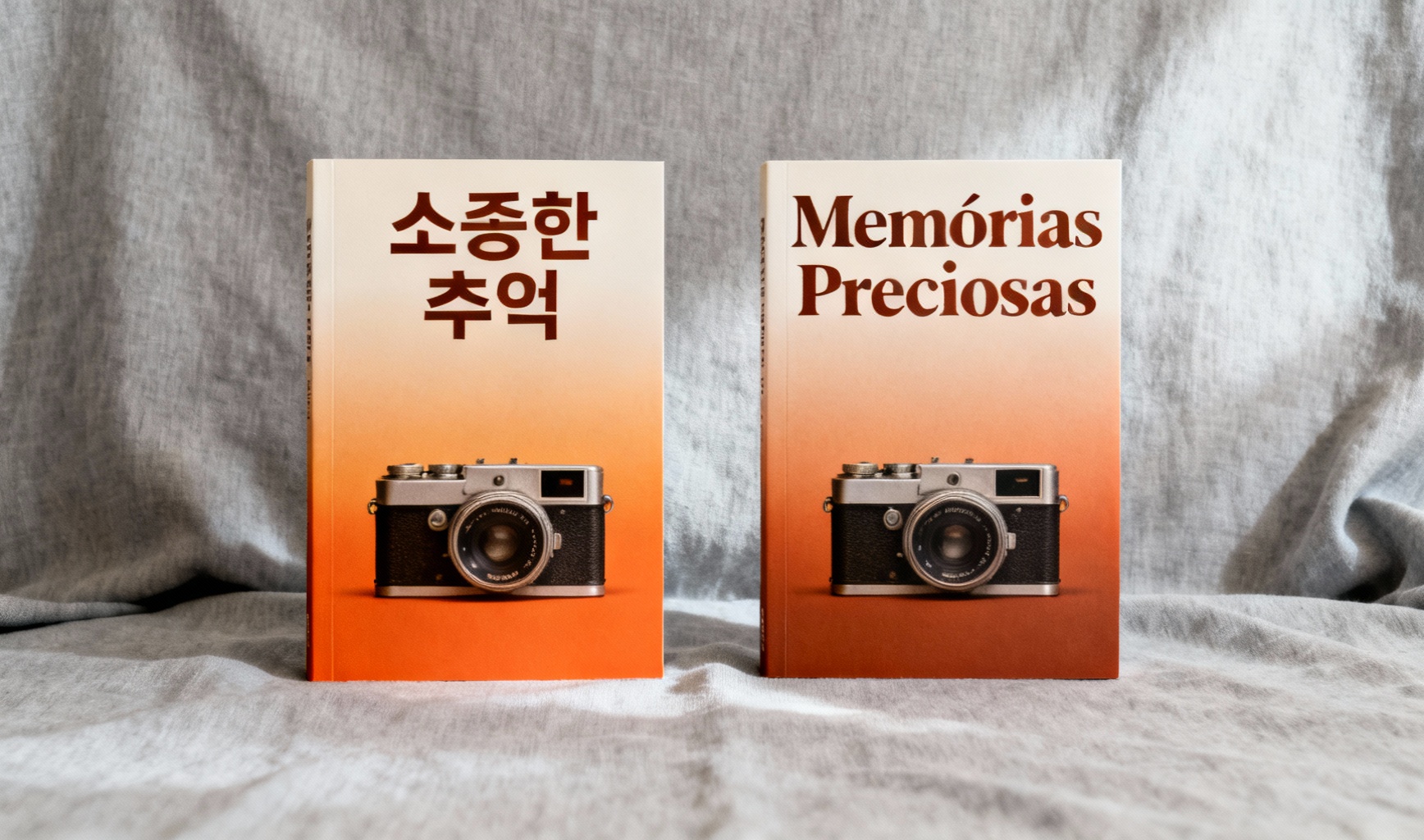
Book Cover Translation
Translate book titles and covers from Korean to Portuguese while preserving typography and design aesthetic.
Powerful Image Translator Features
Our image translator offers advanced capabilities to accurately translate text in images.
Accurate Text Translation
Automatically detect and translate text in images while preserving the original design, font style, and layout.
Batch translation
Select up to 20 images at once. They are queued automatically, and you can download each result or all of them as a ZIP.
Efficient Processing
Our tool analyzes your images to create professional-quality translations with layout preservation.
High-Quality Results
Get professional translation results with excellent detail preservation and color accuracy for all types of images.
25+ Language Support
Translate text in images between over 25 languages including English, Chinese, French, German, Spanish, Japanese, and more.
Custom Instructions
Provide detailed translation instructions to achieve exactly the result you need for your specific use case.
Secure Processing
Your images are processed securely. See our Privacy Policy for details.
Watermark-Free Results
Every translated image comes without any watermark or brand logo, so the final file is clean and ready to use directly for work, study, and sharing.
Simple Image Translator Process
Translate text in your images in just 3 easy steps
Upload Your Image
Select or upload 1–20 images at once; they are translated one after another automatically.
Select Target Language
Choose the language you want the text in the image to be translated into.
Get Your Translated Image
Our tool processes your request and delivers the translated image quickly.
Image Translator FAQ
Everything you need to know about our image translator
Will the translated image have a watermark?
-No. Our image translator never adds any watermark, logo, or brand label to the translation results. Regardless of the language pair or content type, the image you save stays clean and can be used directly for work, study, and social sharing.
How to translate foreign restaurant menus while traveling?
-Upload an image of the menu, select your target language, and our tool will translate all the text while maintaining the original layout and formatting. Perfect for exploring local cuisines abroad — you can quickly understand dish names, ingredients, and prices without a language barrier.
Can I translate road signs, maps, ATM screens, and station signs abroad?
-Yes. Upload a clear image of the sign, map, ATM screen, or station sign and get a translation in about 20 seconds. Our tool handles various fonts, colors, and backgrounds commonly found in public signage, helping you navigate foreign cities, use ATMs, and ride public transportation with confidence.
How to translate travel information such as museum descriptions, airport boards, hotel confirmations, and attraction tickets?
-Simply upload a clear photo or screenshot of the content — museum exhibit cards, airport departure boards, hotel booking confirmations, or attraction tickets and brochures. Our tool translates the text while preserving the layout, so you can appreciate cultural context, reach the right gate on time, understand check-in details, and enjoy your visit to the fullest.
How to translate product labels, packaging, and food nutrition information?
-Upload an image of the product label or food packaging. Our tool translates ingredients, nutritional values, allergen warnings, usage instructions, and other important information, helping you make informed purchasing and dietary decisions when traveling or shopping abroad.
How to translate business documents such as product manuals, presentations, leaflets, and assembly guides?
-Upload images or scans of the document — product manuals, PowerPoint slides, exhibition leaflets, assembly instructions, or electrical and electronic user manuals — and select your target language. Our tool translates technical content while preserving formatting, diagrams, and illustrations, making it easier to understand specifications, instructions, and marketing materials for international business.
Can I translate international contracts and business cards with image translation?
-Yes. For business cards, upload a clear image and our tool translates the contact information while preserving the layout, making international networking easier. For contracts, our tool provides a quick preliminary understanding of the content; however, for legally binding purposes we always recommend professional human translation services.
Can I translate handwritten notes and letters?
-Yes, our tool supports handwritten text recognition, though accuracy depends on legibility. Neat, clear handwriting produces good results, while messy or cursive writing may be less accurate. Printed text generally yields higher recognition accuracy than handwriting. For best results, ensure the writing is clear and well-lit.
How to translate academic materials such as textbooks, papers, and posters?
-Upload or scan textbook pages, academic papers, research posters, or charts. Our tool translates complex academic content, making foreign-language study materials and research more accessible. For precise research purposes, specialized academic translation may be recommended for final citations.
How to learn foreign words and phrases using image translation?
-Upload images of foreign-language text in your everyday environment — signs, packaging, articles — and use the translations to build vocabulary. Many users find this contextual learning approach more effective than traditional flashcards because the words appear in real-world contexts.
How to translate school documents such as exam forms and class schedules?
-Upload or scan exam registration forms, class schedules, academic calendars, and school notices. Our tool translates all instructions and fields, helping international students and parents accurately complete important paperwork and navigate the academic system.
How to translate medication labels, prescriptions, and pharmacy instructions?
-Upload images of medication packaging, prescription labels, or pharmacy information sheets. Our tool translates drug names, dosage, warnings, and usage instructions to help you understand unfamiliar medicine. These translations are for reference only — always rely on the original label and consult a doctor or pharmacist before taking any medication.
How to translate entertainment content such as movies, magazines, social media, and games?
-Upload screenshots or photos of movie subtitles, magazine and newspaper articles, social media posts, game menus and dialogs, restaurant reviews, and shopping website product pages. Our tool translates the text so you can enjoy foreign-language media, discover local dining, and shop internationally with ease.
How to translate medical documents such as records, tourism paperwork, and equipment guides?
-Upload images or scans of hospital records, diagnostic reports, medical histories, test results, treatment plans, and medical equipment operation guides. Our tool provides translations to facilitate communication with healthcare providers abroad and help you understand your health information. Always consult healthcare professionals for accurate interpretation of medical content.
How to translate health-related documents such as insurance cards, vaccine certificates, and supplement labels?
-Upload images of health insurance cards and documents, vaccination certificates, fitness and nutritional supplement labels, and travel health advisories. Our tool translates coverage details, vaccine information, ingredients, dosage, and health warnings, helping you understand your benefits and stay healthy while traveling.
How to translate identification documents such as passports, driver's licenses, and visas?
-Upload images of ID cards, passport pages, driver's licenses, traffic tickets, visa application forms, and immigration documents. Our tool translates personal information and official text. Always handle sensitive documents with appropriate privacy measures, and for official use, confirm requirements with the relevant authorities.
Can I translate legal documents such as contracts, deeds, tax forms, and patents?
-Yes, our tool can help translate contracts, property deeds, tax documents, court judgments, notarized certificates, company registration papers, and intellectual property documents for general understanding. For legally binding or official purposes, we always recommend consulting professional legal translators or the relevant authorities.
What file formats and upload sizes are supported? Can I upload scans or PDFs?
-Our tool supports common image formats including JPG, JPEG, PNG, BMP, and TIFF, up to 10MB per image. Clear scanned images work well with good contrast and sharp text. We do not accept PDF files directly — export PDF pages as images (or screenshot them) and upload those instead.
How does image quality affect translation, and what factors impact recognition?
-Image quality significantly affects accuracy. High-resolution, well-lit, properly focused images with good contrast yield the best results. Our tool handles various fonts, complex backgrounds, light text on dark backgrounds, and minor perspective distortion, but clear, legible, right-side-up text always produces the most reliable translation.
How to improve results for blurry images and handwritten text?
-For blurry images, improve lighting, use a steady shot, use your device's image enhancement features, or take the image again from a better angle. For handwritten text, neat and clear handwriting is recognized more accurately than messy or cursive writing. Our tool includes some enhancement capabilities, but clear original images always yield better results.
Does it support batch upload, different orientations, and GIFs or videos?
-Yes — you can select up to 20 images at a time. They are processed automatically one after another, each taking about 20 seconds, so more images take longer overall. Download each result or all of them as a ZIP, and every result is saved in your history. Batch translation is billed per image at the normal rate. Landscape and portrait orientations work equally well. GIFs and videos are not supported.
How is text handled when an image contains multiple languages or special content like symbols, formulas, and code?
-Our tool detects multiple languages in one image and translates all detected text into your chosen target language. Common special symbols and emoji are preserved (not translated), mathematical and chemical notation is kept as-is while accompanying text is translated, and code syntax is preserved while comments and documentation strings are translated. Brand names and proper nouns are typically kept in their original form.
How accurate is the translation, and does it consider context and specialized terminology?
-Our tool automatically recognizes the text in the image and translates it accurately. Clear, standard text in well-supported languages translates most reliably. Our tool looks at the surrounding context to disambiguate words with multiple meanings and includes specialized vocabulary for medical, legal, technical, and business fields. You can also add terminology preferences in the translation notes field. For critical content, human review is recommended.
Will the original layout be preserved, and in what format can I save or export the result?
-Yes! Our layout-preserving design maintains the original text arrangement, spacing, and visual hierarchy. After translation, you can download the result in the same image format as your upload, with the translated text integrated into the image. The downloaded file keeps the layout intact and is ready to save or share directly.
Which languages are supported, including minor and ancient languages?
-Our image translator supports over 25 major world languages including English, Spanish, Chinese, French, German, Japanese, Korean, Russian, Arabic, Portuguese, and more. Many regional languages and dialects are also supported, though accuracy may vary. We have limited support for some ancient languages such as Latin or Ancient Greek, but accuracy is significantly lower for these languages.
How to handle translation errors, and how long does processing take?
-If you encounter errors, try re-uploading a higher-quality image, adjusting the angle, or adding context in the description field; you can also submit feedback to help us improve the service. Processing typically takes about 20 seconds for standard images, depending on complexity, text volume, network traffic, and your connection. For faster results, use clear images and a stable internet connection.
Is my data private and secure?
-For details on how we collect, use, and protect your data, please see our Privacy Policy and Terms of Service.
Which devices and browsers are supported, can I use it offline, and how do I get help?
-Our service works in modern browsers (Chrome, Firefox, Safari, Edge) on desktop, tablet, and smartphone, with a fully optimized mobile web experience (no dedicated app yet). An internet connection is required since processing runs in the cloud; a stable Wi-Fi or strong 4G/5G connection gives the best results. For help, reach us through the help center or by emailing the support team.
Ready to Use the Image Translator?
Join users who are already using our image translator to break language barriers.